
Step 1. Install OIX: Back in Stock Notify Me
Open Shopify app store.
Search OIX: Back in Stock Notify Me
Click Install button on app.
Click Install button again in your Shopify admin.
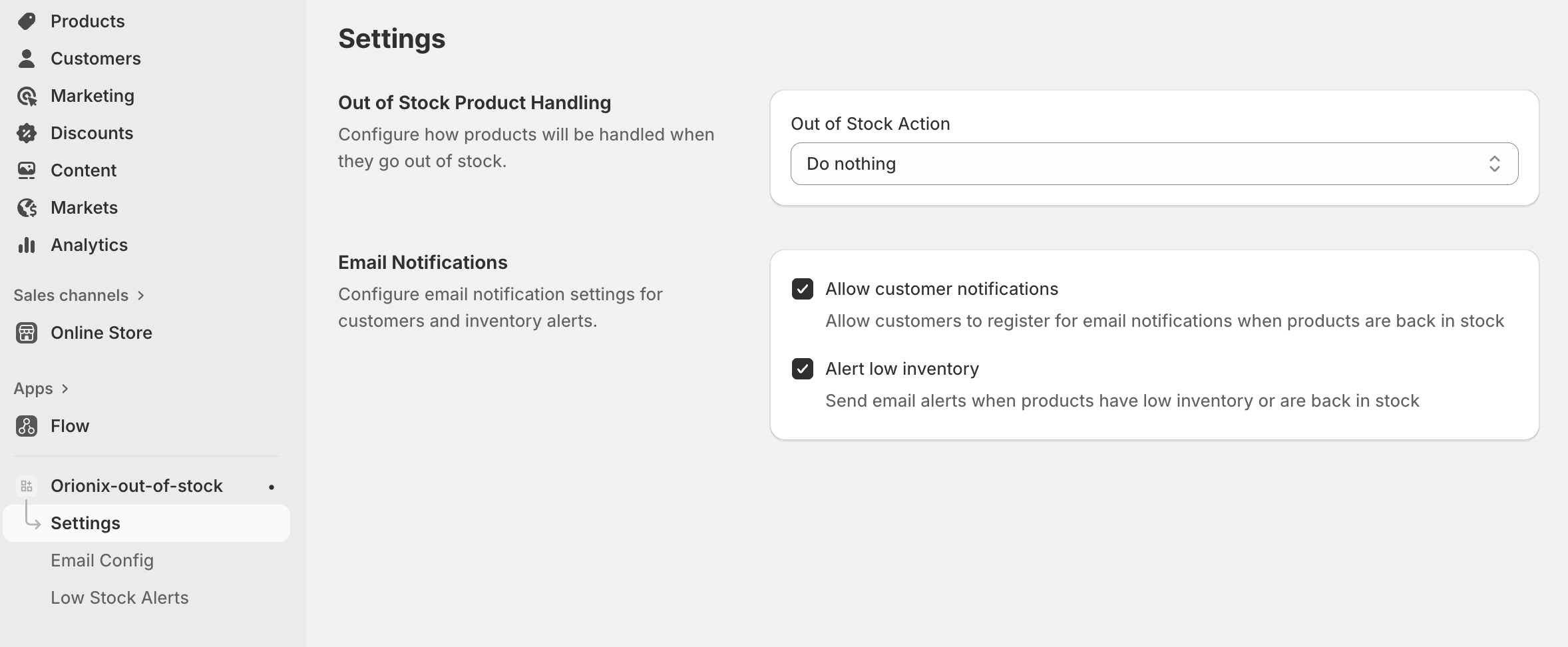
Step 2. Set up Out of Stock Product Handling and Email Notifications
From OIX: Back in Stock Notify Me dashboard.
Navigate to the app’s Settings
In Out of Stock Product Handling, select an Out of Stock Action option.
In Email Notifications, select the option that you want.
Click Save button.
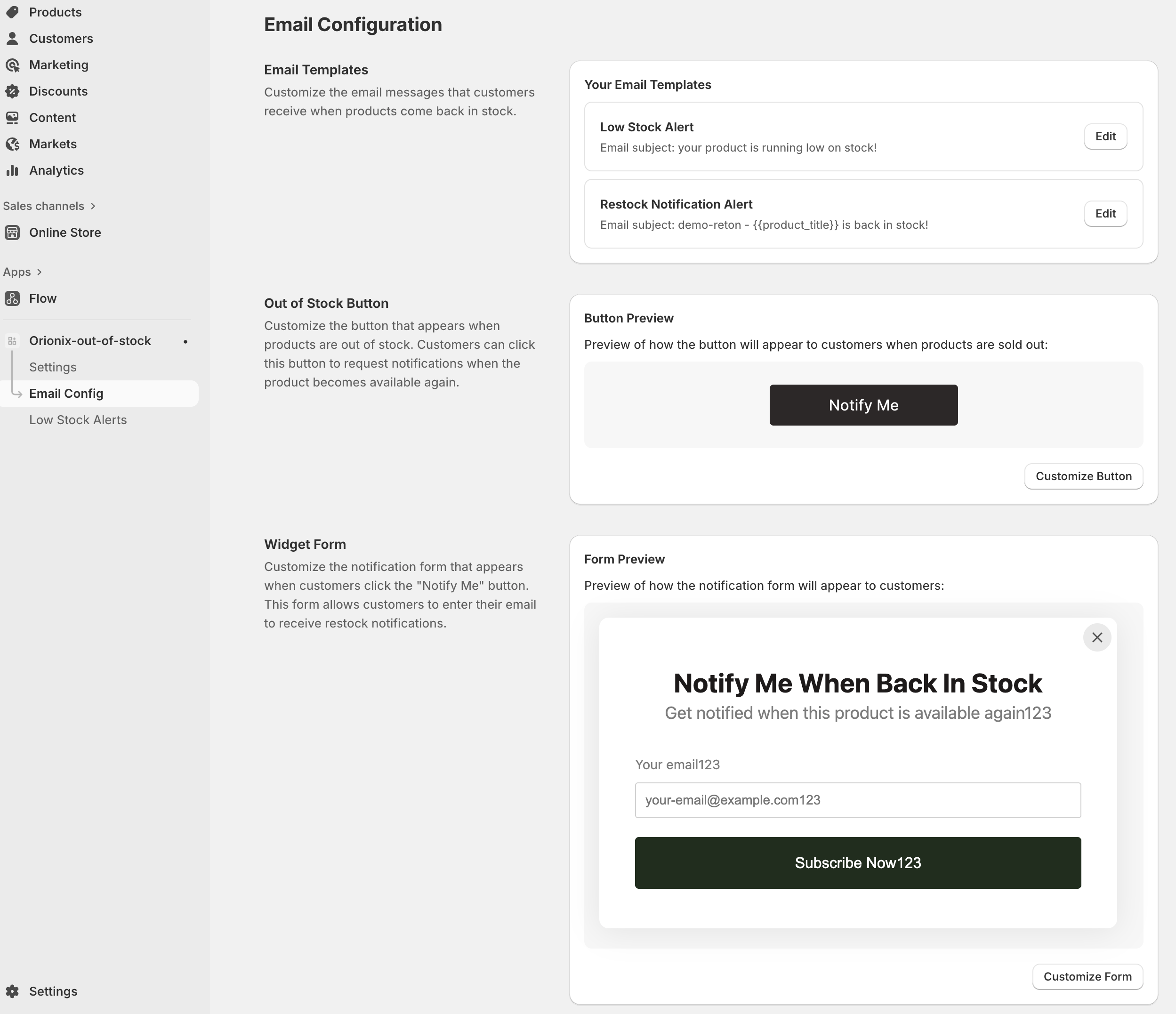
Step 3. Config Alert emails and Notify Me button, pop-up.
From OIX: Back in Stock Notify Me dashboard.
Navigate to the app’s Email Config.
In Email Templates, click Edit on Low Stock Alert, and Restock Notification Alert to customize template.
In Out of Stock Button, click the Customize button to modify Back in Stock button yourself.
In Widget Form, click Customize Form to modify the register Notify me form.
Don't forget to click the Save button after making any changes to the settings.
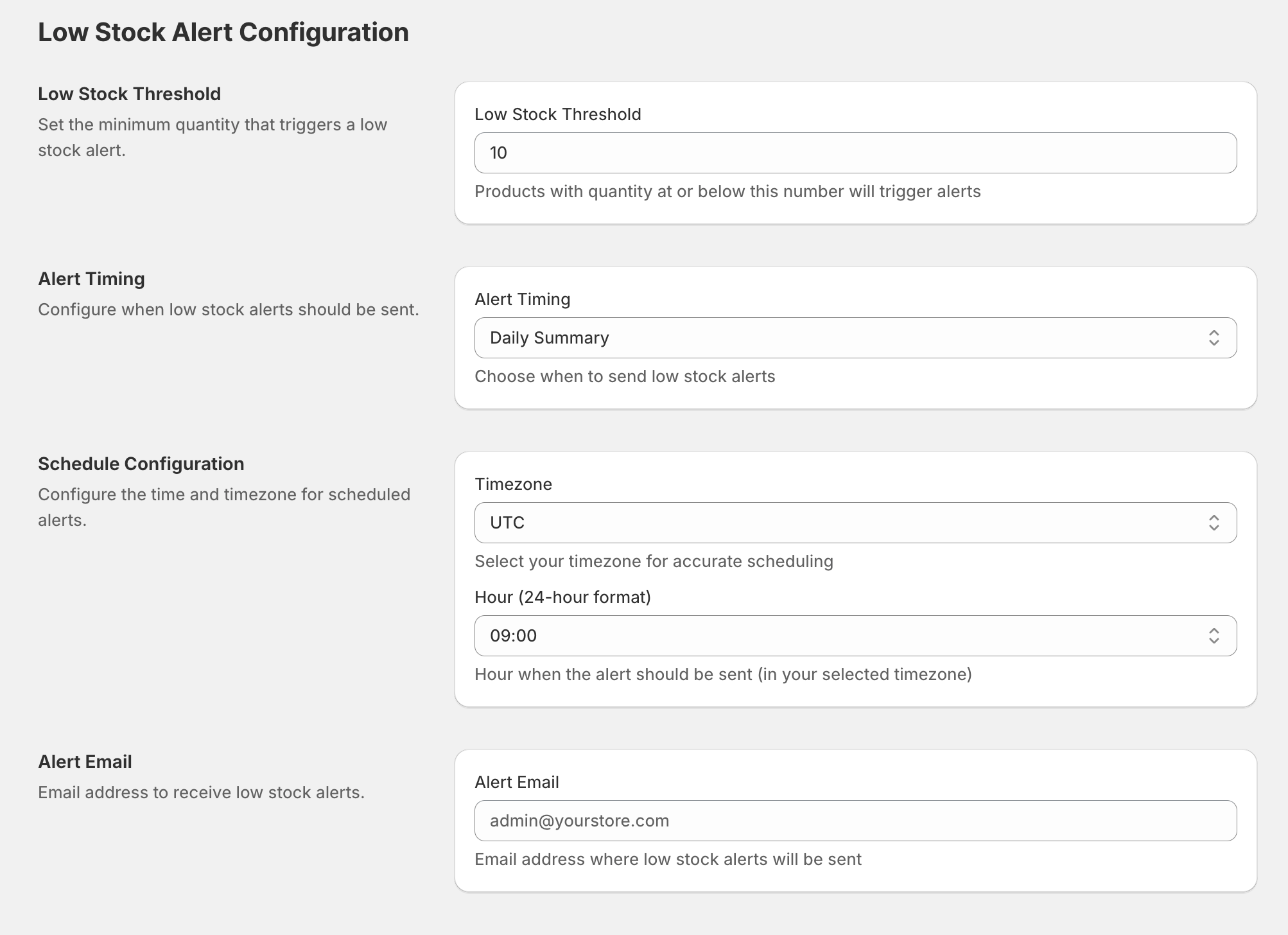
Step 4. Config Low Stock Alert
From OIX: Back in Stock Notify Me dashboard.
Navigate to Low Stock Alerts.
Set up Low Stock Threshold, Alert Timing, Schedule Configuration and Alert Email as you prefer!
Click Save button.
Need assistance?
Contact our support team via live chat or email us at [email protected]. We’re always ready to help!